Tally Data Migration Guide: Tools, Risks, and Validation for a Smooth Switch
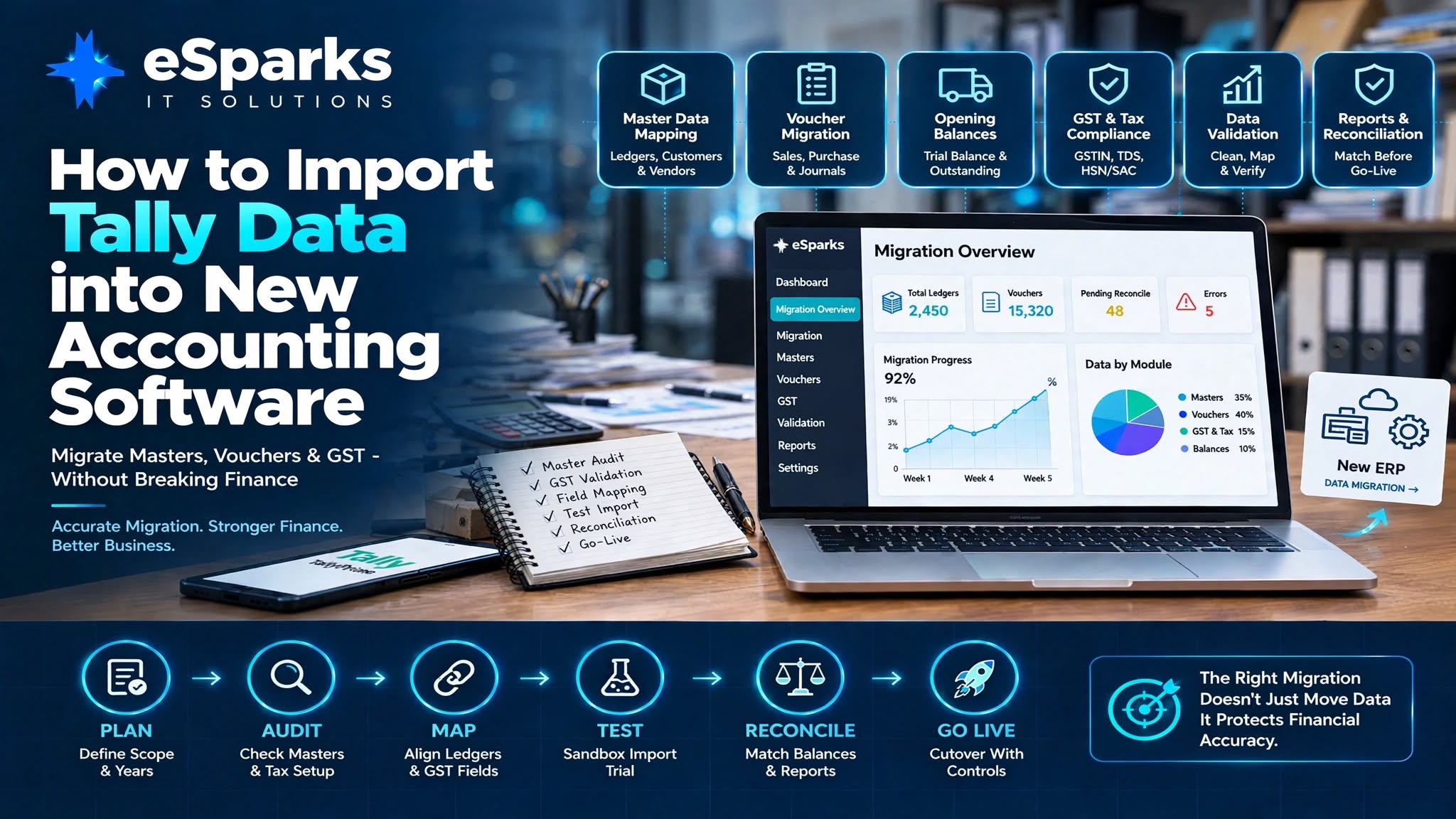
Moving from Tally to new accounting software is not simply a matter of exporting a file and importing it into another system. A successful migration requires careful planning, data cleaning, field mapping, testing, reconciliation, and validation.
For businesses planning to import Tally data into new accounting software, the safest approach is to export structured data from Tally, clean and standardize it, map it to the target platform, run a controlled test import, and reconcile financial results before going live.
The difficult part is usually not the file conversion itself. The real challenge is preserving the meaning and accuracy of financial data across different accounting structures, GST configurations, inventory models, outstanding balances, reporting requirements, and workflows.
This guide explains how businesses can approach Tally data migration, which tools can help, what risks to watch for, and how to validate the final migration before switching systems.
Key Takeaways
Tally data migration should be treated as a controlled finance and data project rather than a one-click import.
Master data, transactions, GST details, inventory, cost centres, opening balances, and outstanding invoices require careful planning.
The biggest challenges are usually chart-of-accounts differences, GST mapping, inventory units, opening balances, and historical transaction handling.
CSV, Excel, XML, APIs, ETL pipelines, Python, Node.js, .NET, Talend, Pentaho, and SSIS can support different migration scenarios.
A sandbox import should happen before production migration.
Trial balance, receivables, payables, inventory, bank balances, GST reports, and management reports should be reconciled.
A pilot migration and limited parallel run can significantly reduce migration risk.
Businesses should have a cutover freeze, role-based permissions, audit logs, backup/archive access, and rollback procedures before go-live.
Why Businesses Move Away From Tally
Tally is widely used by businesses because it is familiar, relatively quick to deploy, and supports common accounting, GST invoicing, and inventory requirements.
However, as a business grows, its technology requirements can become more complex.
A company may eventually need:
Multiple branch management
Stronger user permissions
Approval workflows
Live management dashboards
Cloud-based access
Mobile approvals
API integrations
CRM integration
E-commerce integration
Banking integration
Payroll integration
Warehouse integration
Business intelligence reporting
Automated workflows
At this stage, businesses may evaluate platforms such as modern accounting software, ERP systems, or custom finance-enabled business applications.
The question is therefore not simply:
“Can Tally data be imported?”
The more important question is:
“Can the business move its financial data without losing accuracy, reporting continuity, or operational control?”
A migration can affect much more than accounting entries.
It may involve:
Customer masters
Vendor masters
Ledgers
Stock items
Tax rules
GST information
Cost centres
Opening balances
Outstanding invoices
Voucher history
Document numbering
Reporting structures
User permissions
Audit trails
A successful migration therefore needs both financial understanding and technical execution.
What Data Should Be Migrated From Tally?
Before selecting a migration tool, define exactly what needs to move.
Typical migration scope can include:
Master Data
Ledgers
Customers
Vendors
Stock groups
Stock items
Units of measurement
Godowns or warehouses
Cost centres
Tax information
Transaction Data
Sales vouchers
Purchase vouchers
Receipt vouchers
Payment vouchers
Journal vouchers
Debit notes
Credit notes
Stock journals
Financial Data
Opening balances
Accounts receivable
Accounts payable
Bank balances
Outstanding invoices
Loans
Advances
Tax Data
GST rates
Input and output tax treatment
HSN/SAC
TDS
TCS
Reverse-charge cases
Interstate and intrastate transactions
Not every business needs to migrate every historical transaction.
For example, a company may choose to migrate:
Complete masters + opening balances + open transactions
while keeping older historical transactions in a read-only archive or reporting system.
This can reduce migration complexity while preserving historical access.
Step 1: Define the Migration Scope
The first step is to freeze the migration scope.
Decide:
Which companies are being migrated?
Which branches are included?
Which financial years are required?
Which voucher types are required?
Is inventory included?
Are GST records included?
Are cost centres required?
Are historical transactions required?
Are integrations part of the project?
Are reports being recreated?
A clear scope prevents the project from expanding unexpectedly.
For example:
Option A — Basic Migration
Masters
Opening balances
Current-year transactions
Option B — Standard Migration
Masters
Opening balances
Current-year transactions
Outstanding invoices
Inventory
GST data
Option C — Full Historical Migration
Masters
Multiple years of vouchers
Inventory history
Tax history
Cost centres
Historical reports
The larger the scope, the more reconciliation and testing will be required.
Step 2: Perform a Tally Data Audit
Before exporting anything, audit the existing Tally environment.
A pre-migration audit should examine four major areas:
Master data
Transactions
Tax configuration
Reporting dependencies
Master Data Audit
Check:
Duplicate customers
Duplicate vendors
Duplicate ledgers
Obsolete stock items
Inconsistent naming
Different units of measurement
Missing GSTIN
Incorrect state codes
Negative stock patterns
Duplicate warehouse names
Unused cost centres
Poor master data can create problems after migration.
For example, if three branches have created slightly different versions of the same customer, importing them without standardization can produce duplicate customer accounts in the new system.
Step 3: Decide How Much Historical Data to Move
One of the most important decisions is historical depth.
You generally need to decide between:
Opening Balances Only
Fastest approach.
Useful when the old system will remain available for historical reference.
Current Financial Year
Provides operational continuity while keeping the migration manageable.
Multiple Years of Detailed History
Provides greater continuity but requires considerably more testing and reconciliation.
The right choice depends on:
Audit requirements
Reporting requirements
Business continuity
Tax requirements
Historical analysis
Storage strategy
Target software capabilities
A business does not necessarily need to recreate every historical record inside the new accounting platform.
Step 4: Export Tally Data
Once the scope and data audit are complete, export the required data from Tally.
Depending on the migration scenario and destination platform, data may be available in formats such as:
Tally XML
Excel
CSV
Structured exports
The export should not immediately be treated as production-ready data.
Instead:
Tally → Export → Clean → Validate → Transform → Map → Test Import
This approach provides much greater control.
Step 5: Clean and Standardize the Data
Data cleaning is one of the most important parts of migration.
Typical cleaning activities include:
Removing duplicates
Standardizing names
Removing obsolete masters
Correcting units
Validating GSTIN values
Standardizing state information
Checking customer/vendor codes
Reviewing stock items
Reviewing opening balances
Checking inactive accounts
Reviewing negative stock
Identifying unusual transactions
For example:
| Source Data | Problem | Target Treatment |
|---|---|---|
| ABC Pvt Ltd | Duplicate customer | Merge |
| KG / KGS | Different units | Standardize |
| Old Ledger | No longer used | Archive |
| Missing GSTIN | Incomplete master | Validate |
| Mixed tax ledger | Ambiguous treatment | Review and remap |
The objective is not merely to make the data technically importable.
The objective is to make the data financially meaningful and reliable.
Step 6: Build a Data Mapping Document
Field mapping is where many migration projects succeed or fail.
The source system and target system may organize financial information differently.
A ledger in Tally may not have a one-to-one equivalent in the destination system.
Similarly:
GST classifications may differ
Inventory structures may differ
Voucher types may differ
Cost centres may use different dimensions
Customer codes may follow different formats
Outstanding invoices may be represented differently
Create a migration register containing:
| Source Element | Target Element | Transformation | Decision Owner |
|---|---|---|---|
| Tally Ledger | Target Account | Account mapping | Finance |
| Customer | Customer Master | Code cleanup | Finance |
| Stock Item | Product/SKU | UOM mapping | Operations |
| GST Ledger | Tax Code | Tax mapping | Finance |
| Sales Voucher | Sales Invoice | Transaction mapping | Finance/IT |
| Cost Centre | Department | Dimension mapping | Finance |
| Outstanding Invoice | Open Receivable | Bill mapping | Finance |
This document becomes the shared source of truth for the migration team.
Important Tally Data Mapping Areas
1. Chart of Accounts
Decide whether the existing ledger structure should be preserved or redesigned.
A modern ERP may require a more structured chart of accounts for management reporting.
Do not automatically copy poor ledger structures into the new system.
2. Customers and Vendors
Map:
Customer/vendor code
Name
Address
GSTIN
Payment terms
Credit limits
Branch ownership
Contact information
Duplicate records should be resolved before import.
3. Inventory
Inventory migration can be significantly more complicated.
Map:
Stock groups
Stock items
Units
HSN/SAC
Batches
Serial numbers
Warehouses
Reorder levels
Opening quantities
Opening valuation
Inventory should be validated both financially and operationally.
4. GST and Tax
Tax mapping deserves special attention.
Review:
GST rates
Input tax
Output tax
Exemptions
Cess
TDS
TCS
Reverse charge
Interstate transactions
Intrastate transactions
Place of supply
A technically successful import can still be financially incorrect if tax treatment is mapped incorrectly.
5. Vouchers
Map each Tally transaction type to the equivalent target transaction.
Examples include:
Sales
Purchase
Receipt
Payment
Journal
Debit note
Credit note
Stock journal
The target system may use completely different transaction structures.
Tally Data Migration Tools
There is no single tool that works for every migration.
The appropriate choice depends on data size, target platform, integration requirements, and transformation complexity.
CSV or Excel Import
Suitable for:
Smaller businesses
Clean datasets
Simple master imports
Basic accounting migrations
Advantages:
Easy to understand
Easy to inspect
Widely supported
Limitations:
Manual processing
Greater risk of human error
Limited automation
Difficult for complex relationships
Tally XML
Tally data can be exported in structured XML formats for systems and migration processes that support them.
XML can be useful when:
Detailed structured data is required
Automated transformation is needed
The destination provides compatible integration mechanisms
API-Based Migration
For modern accounting platforms, APIs can provide a more controlled approach.
An API migration can:
Validate records
Transform fields
Push data programmatically
Log successful records
Record failed records
Retry failed operations
Maintain migration history
This is particularly useful for larger or repeatable migrations.
ETL Tools
For complex migrations, organizations may use ETL platforms such as:
Talend
Pentaho
SSIS
ETL stands for:
Extract → Transform → Load
The process can be represented as:
Tally
  ↓
Extract
  ↓
Clean & Validate
  ↓
Transform
  ↓
Map
  ↓
Target Accounting System
  ↓
Reconcile
ETL becomes valuable when multiple entities, complex transformations, or large datasets are involved.
Programming-Based Migration
For custom migration requirements, development teams may use:
Python
pandas
Node.js
.NET
Custom API services
A custom migration pipeline can include:
Tally Export
      ↓
Data Parser
      ↓
Validation Engine
      ↓
Transformation Layer
      ↓
Mapping Rules
      ↓
Target API
      ↓
Error Queue
      ↓
Migration Logs
      ↓
Reconciliation
This approach is useful when the target platform requires custom business rules or when standard import tools cannot handle the required transformations.
Why APIs and Middleware Can Be Better for Complex Migrations
Manual file imports may work for smaller datasets.
However, complex businesses may require:
Validation
Transformation
Error handling
Retry logic
Audit logs
Exception queues
Repeatable migration jobs
For these environments, middleware or custom migration services can provide stronger traceability.
Instead of asking:
“Did the file upload?”
the team can answer:
“How many records were processed, how many failed, why did they fail, and what was changed?”
That distinction becomes especially important for financial data.
Common Tally Migration Risks
Tally migration problems are often caused by incorrect assumptions rather than technical failures.
1. Opening Balance Mismatch
This can happen when businesses migrate masters and vouchers but forget:
Pending invoices
Unallocated credits
Advances
Post-dated cheques
Bank reconciliation items
Do not validate only the trial balance.
Also validate subledgers and outstanding reports.
2. GST Mismatch
GST differences can occur because of:
Manual tax adjustments
Different tax ledgers
Incorrect rate mapping
Place-of-supply differences
Reverse-charge treatment
Historical tax changes
Compare GST reports for equivalent periods in both systems.
3. Inventory Valuation Differences
Inventory is often one of the most difficult areas.
Potential issues include:
Weighted average valuation
FIFO valuation
Negative stock
Batch tracking
Unit conversions
Warehouse balances
Inventory should therefore be tested at both:
Quantity level + Financial valuation level
4. Users Continue Posting During Migration
If users continue entering transactions in Tally while extraction is taking place, the source data can change.
This creates a moving target.
A formal cutover freeze should define when the legacy system stops accepting new transactions.
5. Document Numbering Problems
Document numbering must be reviewed carefully.
Incorrect numbering can create:
Duplicate numbers
Missing sequences
Compliance issues
Internal control problems
Document numbering should be tested before production cutover.
6. Missing Approval Workflows
Some businesses discover that approval processes were informal in Tally.
If the new system introduces formal approvals, these should be designed and tested before go-live.
7. Custom Reports Stop Working
Some reports may depend on:
Narration text
Manual grouping
Ledger conventions
Custom classifications
These assumptions may not exist in the target system.
Reports should therefore be recreated and validated rather than assumed to be equivalent.
8. Excessive User Permissions
Migrated data should not automatically be editable by every user.
Use:
Role-based access
Approval controls
Edit restrictions
Audit logs
Access reviews
Financial data needs traceability after migration as well as before it.
Big-Bang vs Phased Migration
There are two major migration strategies.
Big-Bang Migration
Everything moves at once.
Suitable for:
Smaller businesses
One company
Limited inventory
Simple operations
Controlled cutover
Advantages
Faster transition
One cutover
No long transition period
Risks
Higher cutover pressure
Difficult troubleshooting
Larger impact if something fails
Phased Migration
The business migrates gradually.
For example:
Branch A
   ↓
Pilot Testing
   ↓
Validation
   ↓
Branch B
   ↓
Branch C
   ↓
Full Rollout
This is generally safer for:
Multi-branch businesses
Manufacturers
Distributors
Complex inventory operations
Businesses with multiple integrations
A pilot migration allows the team to identify mapping problems before they affect the entire organization.
Pilot Migration: The Safest Starting Point
Instead of immediately migrating everything, select:
One company
One branch
One financial period
Or a controlled sample dataset
Then:
Export the data
Clean it
Map fields
Import it into a sandbox
Reconcile balances
Test reports
Test workflows
Fix mapping issues
Repeat
Approve production migration
This may take more time initially, but it can significantly reduce expensive rework later.
Parallel Run: An Important Validation Step
A short parallel run can provide additional confidence.
For a limited period, selected transactions can be processed in both systems.
For example:
Tally
  ↓
Sales / Purchase / Payment
  ↓
Compare Results
  ↙        ↘
Tally     New System
  ↓          ↓
GST       GST
Stock     Stock
AR/AP     AR/AP
Bank      Bank
A parallel run can expose:
Tax differences
Rounding differences
Inventory issues
Account mapping problems
Dimension mapping problems
Posting behavior differences
Even a limited parallel period can provide valuable evidence before final cutover.
How to Validate a Tally Migration
A clean import screen does not prove that the migration was successful.
Validation should happen at several levels.
1. Master Validation
Check:
Customers
Vendors
Ledgers
Stock items
Tax records
Warehouses
Cost centres
2. Financial Validation
Check:
Trial balance
Opening balances
Accounts receivable
Accounts payable
Bank balances
Loans
Advances
3. Inventory Validation
Compare:
Quantity
Item-wise balance
Warehouse-wise balance
Batch information
Valuation
Units
4. GST Validation
Compare:
Sales registers
Purchase registers
GST liability
Input tax
Output tax
Relevant tax classifications
5. Report Validation
Run important business reports in both systems.
Compare:
Totals
Drill-downs
Account classifications
Outstanding balances
Inventory reports
Management dashboards
6. Access and Control Validation
Verify:
User roles
Approval rules
Edit restrictions
Audit logs
Backup procedures
Archive access
Tally Migration Validation Checklist
Before final sign-off, confirm:
[ ] Trial balance matches for the agreed cutover date.
[ ] Accounts receivable aging matches.
[ ] Accounts payable aging matches.
[ ] Bill-wise outstanding items are correct.
[ ] Bank balances are understood and documented.
[ ] Unreconciled bank items are accounted for.
[ ] Inventory quantities match.
[ ] Inventory valuation matches where applicable.
[ ] GST reports align.
[ ] Customer opening balances are correct.
[ ] Vendor opening balances are correct.
[ ] Stock opening balances are correct.
[ ] Tax opening balances are correct.
[ ] Loan balances are correct.
[ ] User roles are configured.
[ ] Approval workflows are tested.
[ ] Edit restrictions are working.
[ ] Management reports produce expected totals.
[ ] Audit logs are enabled.
[ ] Backup procedures are tested.
[ ] Rollback/archive access is available.
The migration should only be signed off when the business owner and implementation team agree that the evidence is satisfactory.
Cutover Planning
A migration needs a clearly defined cutover process.
A typical cutover plan may look like:
T-7 Days
↓
Final Mapping Review

T-3 Days
↓
Final Data Validation

T-1 Day
↓
Legacy System Freeze Preparation

Cutover Day
↓
Final Tally Export
↓
Transform & Import
↓
Reconciliation
↓
Business Validation

Go-Live
↓
New Accounting System

First Closing Cycle
↓
Enhanced Monitoring
The organization should also document what happens if validation fails.
That is where a rollback or archive strategy becomes important.
Rollback and Recovery Planning
Before migration, define:
What happens if the import fails?
Can the legacy system be accessed?
Where is the final Tally backup?
How will failed records be identified?
Can the target system be restored?
Who approves rollback?
How will transactions created during the transition be handled?
A migration without a fallback strategy creates unnecessary operational risk.
How Long Does Tally Data Migration Take?
Migration timelines depend heavily on:
Number of companies
Number of branches
Number of users
Historical years
Voucher volume
Data quality
Inventory complexity
GST requirements
Custom reports
Integrations
Approval workflows
Target platform
Small Migration
A simple business with:
One company
Clean data
Limited inventory
One financial year
may complete migration in a few days to around two weeks.
Mid-Sized Migration
Businesses with:
Multiple branches
Custom reports
Inventory
Integrations
Tax edge cases
Historical data
may require several weeks or longer.
The live eSparks guidance similarly emphasizes that migration time is driven more by data quality and process complexity than by file conversion alone.
What Determines Migration Cost?
Migration cost depends on the amount of technical and business work required.
Major cost drivers include:
Data auditing
Data cleaning
Field mapping
Number of companies
Number of branches
Historical data
Voucher volume
Inventory complexity
GST/TDS/TCS requirements
Custom reports
Approval workflows
API integrations
CRM integration
E-commerce integration
Banking integration
Payroll integration
BI dashboards
Cloud hosting
Security controls
Backup and audit requirements
Post-go-live support
Instead of asking for one large migration price, businesses should request estimates broken into workstreams:
Data audit
Mapping
Migration development
Test cycles
User acceptance testing
Cutover
Training
Post-go-live support
This makes the proposal much easier to evaluate.
How to Choose a Tally Migration Partner
A migration partner should discuss more than file conversion.
Ask the implementation team:
Data Mapping
How will Tally fields be mapped?
Who approves the mapping?
How are exceptions handled?
Validation
How will the trial balance be reconciled?
How will GST be validated?
How will inventory valuation be checked?
Security
How is migrated data protected?
Who has access?
Are audit logs available?
Rollback
What happens if migration fails?
Is the original Tally data preserved?
What is the rollback process?
Technical Architecture
Will CSV/XML be enough?
Is an API required?
Will ETL or middleware be used?
How are failed records handled?
Post-Go-Live
Who supports the first accounting cycle?
How are migration issues tracked?
How are exceptions documented?
A good migration partner should be able to explain these areas before discussing development cost or software licensing.
A Practical Tally Migration Architecture
For a more complex business, the migration architecture can look like this:
                TALLY
                  │
                  ▼
          Data Extraction
                  │
                  ▼
        ┌─────────────────┐
        │ Data Validation  │
        └─────────────────┘
                  │
                  ▼
          Data Cleaning
                  │
                  ▼
        Field Transformation
                  │
                  ▼
          Mapping Engine
                  │
          ┌───────┴────────┐
          ▼                ▼
     Valid Records     Exceptions
          │                │
          ▼                ▼
     Target API       Error Queue
          │
          ▼
    New Accounting ERP
          │
          ▼
      Reconciliation
          │
          ▼
       Validation
          │
          ▼
        Go-Live
This architecture provides better control than manually uploading files repeatedly.
Tally Migration and Custom Software
Not every organization should simply move Tally data into another accounting product.
Some businesses need:
Inventory management
Sales management
GST invoicing
CRM
Approval workflows
Custom dashboards
Warehouse management
API integrations
Mobile applications
Business intelligence
In these situations, a custom business platform may be considered.
For example, the eSparks Sparks Business — Inventory, Sales & GST Invoicing Platform demonstrates the importance of explicitly modelling business entities such as inventory, sales, and GST rather than relying on loosely defined ledger conventions.
The same principle applies to migration:
Do not simply reproduce old workarounds in a new system.
Migration can be an opportunity to improve the underlying business process.
Common Tally Migration Mistakes
Mistake 1: Treating Migration as File Conversion
A file can import successfully while the accounting data remains incorrect.
Better approach:
Validate financial outcomes, not just import status.
Mistake 2: Migrating Dirty Data
Duplicate and obsolete records make the new system harder to manage.
Better approach:
Clean and standardize before migration.
Mistake 3: Ignoring Inventory
Accounting balances may match while warehouse quantities do not.
Better approach:
Validate inventory by item, warehouse, unit, batch, and valuation where applicable.
Mistake 4: Migrating Without a Freeze
If users continue working in Tally during extraction, the source data can change.
Better approach:
Define and communicate a cutover freeze.
Mistake 5: Validating Only the Trial Balance
A matching trial balance does not guarantee that every operational record is correct.
Better approach:
Also validate:
AR
AP
Inventory
GST
Bank
Outstanding invoices
Management reports
Mistake 6: No Rollback Plan
If something goes wrong, the team may not know how to recover.
Better approach:
Create a documented fallback strategy before cutover.
The Ideal Tally Migration Workflow
For most businesses, the complete workflow can be summarized as:
1. Define Scope
       ↓
2. Audit Tally Data
       ↓
3. Decide Historical Depth
       ↓
4. Export Data
       ↓
5. Clean & Standardize
       ↓
6. Create Mapping Rules
       ↓
7. Select Migration Tools
       ↓
8. Sandbox Import
       ↓
9. Reconcile
       ↓
10. User Acceptance Testing
       ↓
11. Pilot Migration
       ↓
12. Parallel Run
       ↓
13. Final Cutover
       ↓
14. Validate
       ↓
15. Go-Live
       ↓
16. Monitor First Closing Cycle
This approach turns migration from a risky technical task into a controlled business process.
Final Tally Data Migration Checklist
Before switching to your new accounting software, make sure you can answer yes to the following:
Planning
Is the migration scope documented?
Are companies and branches identified?
Is historical data clearly defined?
Are responsibilities assigned?
Data
Has the Tally data been audited?
Have duplicates been removed?
Are GST details validated?
Are inventory units standardized?
Are opening balances reviewed?
Mapping
Is the chart of accounts mapped?
Are customers and vendors mapped?
Are inventory fields mapped?
Are GST rules mapped?
Are voucher types mapped?
Are cost centres mapped?
Technical
Is the migration method appropriate?
Has a sandbox import been completed?
Are errors logged?
Can failed records be identified?
Is an API or ETL pipeline required?
Validation
Does the trial balance match?
Does AR match?
Does AP match?
Does inventory match?
Does GST match?
Do bank balances match?
Do key reports match?
Security
Are user permissions configured?
Are approval workflows tested?
Are audit logs enabled?
Are backups available?
Is rollback/archive access documented?
Go-Live
Is there a cutover freeze?
Is the final Tally backup complete?
Has the business approved the migration?
Is post-go-live support available?
Frequently Asked Questions
Can I directly import Tally data into any accounting software?
Not always.
The target platform may support Tally XML, Excel/CSV templates, APIs, or another migration mechanism. Compatibility also depends on whether the source and target accounting, tax, and inventory structures are compatible.
What data should I migrate from Tally first?
Start with important master data such as:
Ledgers
Customers
Vendors
Stock items
Tax information
Opening balances
Then migrate open transactions. Historical vouchers should be migrated when they are required for operations, reporting, audit access, or business continuity.
How do I verify that my Tally migration is accurate?
Reconcile:
Trial balance
Accounts receivable
Accounts payable
Inventory valuation
Bank balances
GST reports
Opening balances
Key management reports
A sandbox test followed by a short parallel run provides additional confidence.
How long does Tally data migration take?
A simple migration can take a few days to around two weeks when the business has clean data, one entity, and limited inventory.
Multi-branch businesses with complex inventory, custom reports, integrations, tax requirements, or several years of history may need several weeks or longer.
Should I migrate all historical Tally data?
Not necessarily.
The decision should be based on:
Audit requirements
Reporting needs
Operational requirements
Historical analysis
Storage strategy
In some cases, complete masters and open transactions can be migrated while older historical data remains available in a read-only archive.
Should I use CSV, ETL, or APIs?
It depends on the project.
CSV/Excel can work for smaller, straightforward migrations.
ETL tools are useful for more complex transformations and larger datasets.
APIs or custom middleware are better suited to repeatable, integration-heavy, or highly customized migration processes.
Conclusion
Tally data migration is not simply about moving accounting records from one application to another.
The real objective is to move the business's financial information accurately, securely, and with enough validation to trust the new system from day one.
The most reliable approach is:
Audit → Clean → Map → Test → Reconcile → Pilot → Validate → Cut Over → Monitor
Businesses should pay particular attention to:
Chart of accounts
Opening balances
GST
Inventory
Outstanding invoices
Historical data
Reports
User permissions
Auditability
Rollback planning
A carefully planned migration can also be an opportunity to improve accounting processes, introduce better integrations, strengthen controls, and create a more scalable technology foundation.
If your business is moving from Tally to a new accounting platform, ERP, inventory system, or custom business application, the migration strategy should be designed around your actual workflows—not just the format of your exported files.
Work with eSparks IT Solutions
Planning a project around this? We help businesses across the USA, UK, Canada, Australia and the GCC ship it. See a related project: Sparks Business — Inventory, Sales & GST Invoicing Platform. Explore our Programming services and portfolio, estimate your project cost, or book a free call.
Comments
Join the discussionNo comments yet. Be the first to comment.