What CTOs Should Know Before Buying Thin Client Management Software
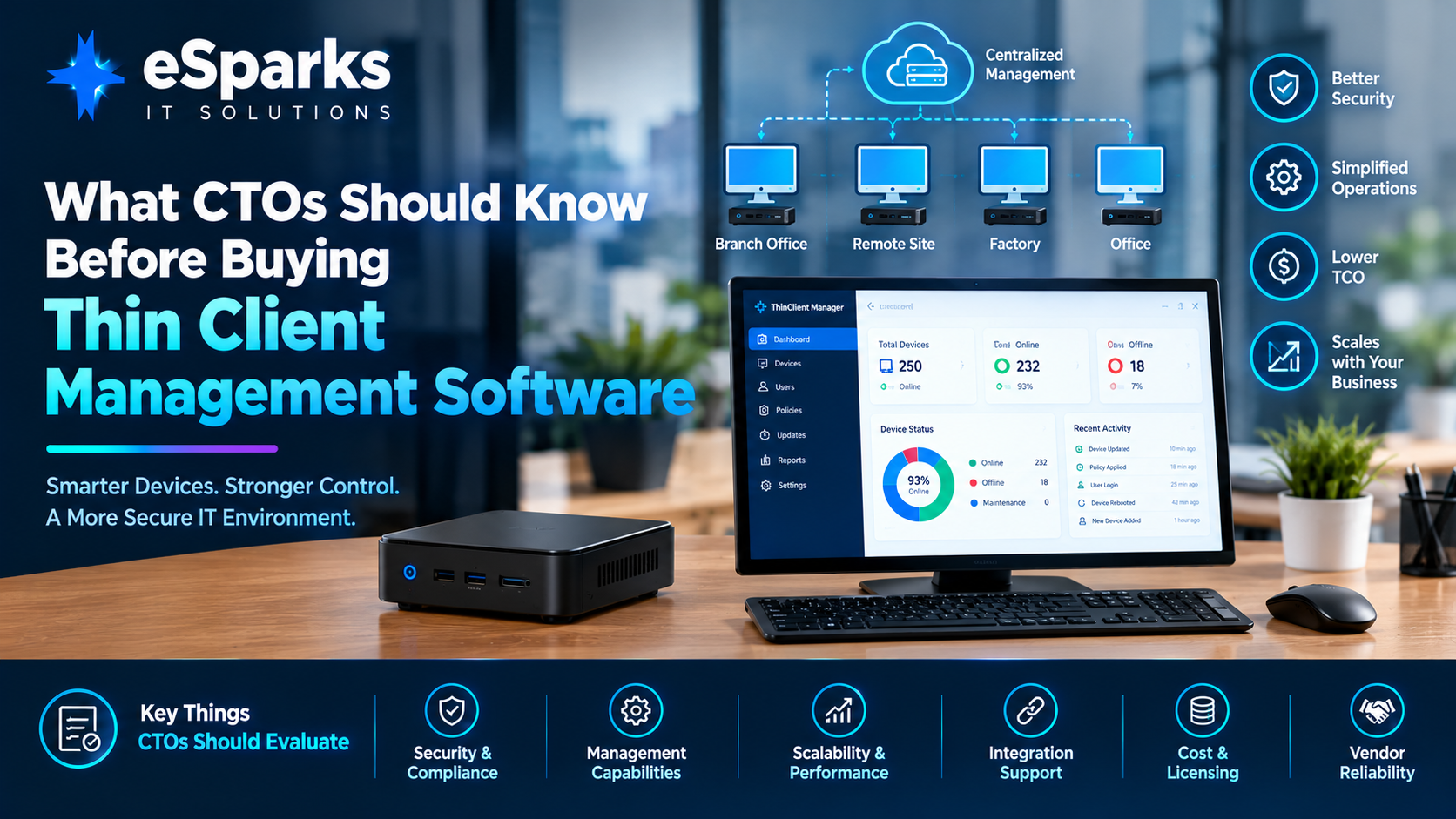
Thin client management software is becoming an important part of modern endpoint strategy for organizations that need secure, centrally managed, and highly standardized workstations.
For CTOs, however, choosing thin client management software is not simply a matter of comparing dashboards, device prices, or feature lists.
The real question is whether the platform can provide secure device management, reliable application access, centralized policy control, remote support, predictable updates, and manageable operating costs across the organization's entire endpoint fleet.
A thin client may look simple from the outside, but managing hundreds or thousands of devices across offices, branches, factories, warehouses, healthcare facilities, retail locations, and remote sites can become complicated very quickly.
The right management platform should reduce that complexity rather than create another layer of administration.
This guide explains what CTOs should evaluate before buying thin client management software, including architecture, security, integrations, device lifecycle management, pilot testing, operating models, costs, and long-term scalability.
Key Takeaways
Thin client management software centralizes provisioning, configuration, updates, monitoring, security policies, and remote support.
CTOs should evaluate the operating model and architecture instead of comparing feature counts alone.
Security should include secure boot, signed updates, device certificates, MFA, RBAC, auditability, and local lockdown capabilities.
Identity integration with platforms such as Microsoft Entra ID, Active Directory, LDAP, SAML, OIDC, Okta, or Google Workspace can be critical.
VDI, SaaS, browser-based applications, legacy applications, printers, scanners, webcams, smart cards, and other peripherals should be tested during the pilot.
Update rings, version control, maintenance windows, and rollback capabilities are essential for large fleets.
Cloud-based management is not automatically the best choice; self-hosted or hybrid architectures may be more appropriate for certain regulated or private-network environments.
The best buying decision considers total operating effort, support requirements, licensing, hardware flexibility, implementation, and long-term administration.
A real-world pilot should test poor connectivity, failed updates, certificate expiration, shared devices, remote support, and recovery scenarios before a production rollout.
What Is Thin Client Management Software?
Thin client management software is the centralized control layer used to manage thin client devices across an organization.
Instead of configuring every endpoint individually, IT teams can use a management platform to:
Provision devices
Configure policies
Manage operating system images
Push updates
Monitor device health
Control peripherals
Manage user sessions
Enforce security policies
Troubleshoot devices remotely
Maintain audit records
Organize devices by location or group
This becomes particularly valuable when the organization operates a distributed endpoint fleet.
A business may have thin clients deployed across:
Call centers
Healthcare stations
Manufacturing floors
Retail counters
Warehouses
Education labs
Branch offices
Logistics facilities
Remote offices
The objective is to make those endpoints predictable and centrally manageable rather than turning every device into an individual IT project.
Why CTOs Need to Look Beyond the Hardware
A common mistake is to treat thin clients primarily as a hardware purchase.
The hardware is only one part of the architecture.
The complete environment may include:
Thin Client
     ↓
Thin Client OS
     ↓
Management Platform
     ↓
Identity Provider
     ↓
Network / VPN / Wi-Fi
     ↓
VDI / DaaS / SaaS / Applications
     ↓
Monitoring + Security + ITSM
If one layer is poorly designed, the entire endpoint experience can suffer.
For example, inexpensive devices may look attractive during procurement, but the organization may later spend more on:
Manual configuration
Troubleshooting
Help-desk calls
Custom scripts
Peripheral compatibility
Identity problems
Failed updates
Network exceptions
Device replacement
Security administration
Therefore, CTOs should evaluate the total operating model, not just the purchase price of the endpoint.
Where Thin Clients Work Particularly Well
Thin clients are most effective when users do not need unrestricted local computing environments.
Common use cases include:
Call Centers
Call center employees typically use a limited set of applications and benefit from:
Centralized configuration
Fast user replacement
Locked-down devices
VDI access
Shared workstation support
Centralized monitoring
Healthcare
Healthcare environments can require:
Strong authentication
Locked-down workstations
Secure application access
Peripheral compatibility
Auditability
Centralized updates
Nursing stations and clinical workstations may have very different requirements from ordinary office desktops.
Manufacturing
Manufacturing floors may require thin clients for:
Production dashboards
ERP access
Inventory systems
Monitoring applications
Shift-based users
Shared terminals
Reliability and peripheral compatibility can be more important than desktop customization.
Retail
Retail environments may benefit from centrally controlled endpoints at:
Checkout counters
Customer-service desks
Inventory stations
Back offices
Branch locations
Warehouses and Logistics
Warehouse environments often combine:
Barcode scanners
Label printers
Touch displays
Web applications
Inventory software
Shared devices
The management platform therefore needs to support more than basic desktop configuration.
Education
Education environments can benefit from:
Centralized device policies
Restricted local access
Shared devices
Automated updates
Classroom-level configuration
Simplified support
The Three Common Thin Client Operating Models
A CTO should first understand how the organization intends to use its endpoints.
The live eSparks guide identifies three common operating models.
1. VDI-First
The device primarily connects users to virtual desktops or applications.
Examples include environments using:
Citrix
Omnissa Horizon
Azure Virtual Desktop
Microsoft RDP
Amazon WorkSpaces
The thin client becomes the secure access point rather than the primary computing environment.
2. Browser and SaaS-Heavy
The endpoint primarily provides access to:
Web applications
SaaS platforms
Cloud dashboards
Browser-based business systems
Kiosk mode, SSO, session control, and browser lockdown become particularly important.
3. Hybrid Edge
Some workloads execute locally while the device remains centrally governed.
This model can be useful when:
Connectivity is inconsistent
Certain applications require local processing
Peripheral integration is important
Organizations need centralized control without completely eliminating local workloads
What CTOs Should Evaluate Before Buying
A strong evaluation should cover five major areas:
Enrollment
Configuration
Security
Support
Lifecycle management
These areas provide a better evaluation framework than simply comparing the number of features advertised by vendors.
1. Device Enrollment and Provisioning
Ask how quickly a new device can become production-ready.
A strong platform should support centralized provisioning and preferably zero-touch or low-touch enrollment.
Evaluate:
Device registration
Asset tagging
Location assignment
Device groups
Automatic configuration
Identity handoff
Replacement workflows
Failed-device replacement
For example:
New Device
    ↓
Connect to Network
    ↓
Device Enrollment
    ↓
Identity Verification
    ↓
Apply Device Policy
    ↓
Install / Verify Configuration
    ↓
Launch Approved Environment
The goal is to reduce the amount of manual work required at each site.
2. Configuration Management
Configuration should not depend on technicians manually changing settings on individual devices.
The platform should ideally manage:
Wi-Fi
Displays
Audio
Printers
USB policies
Peripherals
Session settings
Browser configuration
Kiosk settings
Network settings
Application launchers
The more devices an organization operates, the more important centralized configuration becomes.
3. Policy Management
CTOs should ask whether policies are:
Centralized
Declarative
Version-controlled
Auditable
Group-based
Reversible
Avoid architectures where large parts of the configuration are implemented through undocumented scripts.
A better model is:
Policy Definition
       ↓
Version Control
       ↓
Test Group
       ↓
Pilot Ring
       ↓
Production Ring
       ↓
Audit
This makes endpoint management more predictable.
4. Security Capabilities
Security should be evaluated as an architecture rather than as a checklist.
Important capabilities include:
Secure boot
Measured boot where appropriate
Signed OS or firmware packages
Device certificates
Encrypted configuration transport
MFA for administrators
RBAC
Audit logging
Local storage controls
USB restrictions
BIOS lockdown
Kiosk escape prevention
Restricted shell access
Storage encryption
For devices deployed in semi-public or shared locations, physical and local controls become particularly important.
5. Identity Integration
Identity is one of the most important integration points in a thin client environment.
Evaluate compatibility with your existing identity infrastructure.
Potential integrations include:
Microsoft Entra ID
Active Directory
LDAP
SAML
OIDC
Okta
Google Workspace
The platform should support your organization's authentication and access model without creating unnecessary manual processes.
Shared Device Authentication
Shared devices create unique identity challenges.
For example, a warehouse terminal may be used by multiple employees during different shifts.
A healthcare workstation may be shared between multiple clinical workers.
A retail terminal may be used by different employees throughout the day.
The platform should therefore support:
Fast authentication
Session timeout
Automatic logout
Secure re-authentication
Conditional access
Appropriate shared-device policies
Security should not be weakened simply to make shared-device workflows convenient.
6. VDI and Application Compatibility
A thin client management platform may look excellent during a product demonstration but fail when it encounters the organization's real applications.
Test the actual environment.
Important areas include:
VDI protocols
Display performance
Graphics acceleration
USB redirection
Printer redirection
Profile management
Browser behavior
Local applications
Legacy applications
SaaS platforms
If your organization relies heavily on virtual desktops, VDI compatibility should be considered a non-negotiable evaluation category.
7. Peripheral Compatibility
Peripherals are one of the most common sources of unexpected complexity.
Test real hardware such as:
Barcode scanners
Printers
Smart card readers
Webcams
Headsets
Microphones
Touchscreens
Dual monitors
Specialized USB devices
A device that works perfectly in a vendor laboratory may behave differently in a real branch or warehouse environment.
Therefore, the pilot should use actual production peripherals wherever possible.
8. Remote Support
Remote troubleshooting is a major benefit of centralized thin client management.
Look for capabilities such as:
Remote access
Remote shadowing
Device logs
Health checks
Diagnostic information
Remote reboot
Configuration inspection
Alerting
However, remote support should also be:
Secure
Auditable
Role-controlled
Logged
Help-desk staff should not automatically receive the same permissions as endpoint engineers or security administrators.
9. Role-Based Administration
A mature environment should separate administrative responsibilities.
For example:
Help Desk
Device health
Basic troubleshooting
Remote assistance
Endpoint Engineering
Images
Policies
Updates
Device configuration
Security Team
Security policies
Audit logs
Security telemetry
Incident response
Auditors
Read-only access
Audit history
Compliance reports
RBAC helps reduce unnecessary administrative privileges.
10. Update and Patch Management
One of the most important questions for a CTO is:
“What happens when an update goes wrong?”
A good platform should support:
Version control
Staged updates
Deployment rings
Maintenance windows
Canary groups
Emergency updates
Rollback
A typical update strategy might be:
New Update
    ↓
Lab Validation
    ↓
Canary Devices
    ↓
Pilot Site
    ↓
10% Fleet
    ↓
50% Fleet
    ↓
100% Fleet
This reduces the risk of deploying a problematic update to every endpoint simultaneously.
Rollback Is Not Optional
Successful deployment is only one side of lifecycle management.
CTOs should also evaluate failure recovery.
Ask:
Can the previous image be restored?
Can a failed policy be reverted?
How quickly can a device return to service?
Can rollback happen remotely?
Is rollback audited?
What happens if the device is offline?
The vendor should demonstrate this during the pilot rather than simply describing it in documentation.
11. Observability and Monitoring
A centralized endpoint fleet needs visibility.
The management platform should ideally expose:
Device health
Online/offline state
OS version
Configuration state
Update status
CPU/memory information where applicable
Connectivity information
Session information
Error events
Device logs
This allows IT teams to identify problems before users begin opening support tickets.
SIEM Integration
Security and endpoint events should ideally integrate with the organization's security monitoring environment.
Potential platforms include:
Microsoft Sentinel
Splunk
Elastic
QRadar
Exportable logs allow endpoint activity to become part of the broader security monitoring strategy.
12. ITSM Integration
Thin client management should also integrate with the organization's service-management workflow.
Common ITSM platforms include:
ServiceNow
Jira Service Management
Zendesk
For example:
Device Failure
     ↓
Management Platform
     ↓
Alert
     ↓
ITSM Ticket
     ↓
Help Desk
     ↓
Remote Diagnosis
     ↓
Resolution
Without integration, teams may end up manually copying information between multiple systems.
13. Network Integration
Thin clients depend heavily on network connectivity.
Evaluate compatibility with:
VPN
Wi-Fi
DNS
Proxy
NAC
Certificate services
Network segmentation
Conditional access
Site readiness should be checked before deployment.
A thin client that cannot reliably reach its management service, identity provider, or VDI environment is effectively unavailable.
14. Cloud vs Self-Hosted Management
Cloud-based management can provide:
Faster deployment
Centralized access
Easier scaling
Reduced infrastructure management
However, cloud management is not automatically the correct answer for every organization.
Self-hosted or hybrid management may be preferred when there are:
Data residency requirements
Private network requirements
Regulatory constraints
Strict infrastructure policies
Limited internet connectivity
The decision should be based on the organization's architecture and compliance requirements rather than technology trends alone.
15. Agent-Based vs Agentless Management
Another architecture decision is whether management relies on:
Agent-based management
Agentless management
Hybrid management
Ask:
What visibility does each approach provide?
What happens if the agent fails?
How are updates delivered?
What information is available remotely?
How does troubleshooting work?
What is the impact on device performance?
The correct choice depends on the endpoint OS, management requirements, security model, and operating environment.
16. Immutable Images vs Layered Packages
CTOs should also understand how the platform handles operating system customization.
Two common approaches are:
Immutable Image
A standardized image is deployed across devices.
Advantages:
Predictability
Easier rollback
Consistent configuration
Reduced configuration drift
Layered Package Approach
The base system can be supplemented with packages or custom components.
Advantages:
Greater flexibility
Easier customization
Potentially faster feature changes
The trade-off is that excessive customization can increase operational complexity.
Avoid Over-Customization
One of the biggest risks in thin client projects is turning a standardized environment into a collection of exceptions.
Organizations may gradually add:
Local scripts
Special packages
Site-specific settings
Custom launchers
Manual workarounds
Eventually, every device becomes different.
A better model is:
Standard Configuration
        +
Controlled Exceptions
        +
Version Control
        +
Review Process
This keeps the fleet manageable as it grows.
The CTO's Practical Buying Framework
A good buying process should begin with business requirements rather than vendor demonstrations.
Step 1: Define Target Use Cases
Document:
Device personas
Locations
Applications
Peripherals
Login patterns
Uptime requirements
A hospital workstation and a warehouse terminal may both be thin clients, but their requirements can be completely different.
Step 2: Define Non-Negotiables
Examples include:
MFA
Secure boot
Kiosk lockdown
Certificate support
Audit logs
VDI compatibility
Remote support
Rollback
SIEM integration
Step 3: Define the Operating Model
Decide who owns:
Images
Policies
Updates
Patch approval
Exceptions
Site support
Incident escalation
Ownership should be clear before deployment.
Step 4: Shortlist Platforms
Compare:
Technical fit
Security
Integration
Licensing
Support
Hardware flexibility
Vendor roadmap
Implementation requirements
Do not compare products only on the number of features.
Step 5: Run a Real-World Pilot
The pilot should include actual:
Users
Devices
Applications
Peripherals
Networks
Identity flows
Test conditions such as:
Poor connectivity
Dropped connections
Shared devices
Password resets
Monitor replacement
Failed updates
Certificate expiration
Remote troubleshooting
Step 6: Measure Total Effort
Evaluate:
Licensing
Hardware
Implementation
Administration
Help-desk effort
Training
Exception handling
Support
Upgrades
Hardware flexibility
A platform with a lower license price may still be more expensive to operate.
Step 7: Plan Deployment Rings
A safer rollout is:
Lab
 ↓
Friendly Users
 ↓
Pilot Site
 ↓
Low-Risk Locations
 ↓
Production Sites
 ↓
Critical Locations
Only move forward after the rollback and support processes have been proven.
Common Thin Client Management Mistakes
Mistake 1: Buying Hardware First
Businesses sometimes purchase devices before designing the management architecture.
Better approach:
Design the endpoint operating model first and select hardware afterward.
Mistake 2: Testing Only at Headquarters
Headquarters often has:
Excellent connectivity
Experienced IT staff
Better network infrastructure
Controlled peripherals
Remote sites may have completely different conditions.
Better approach:
Test at real branches and frontline locations.
Mistake 3: Ignoring Rollback
A failed image or policy update can affect hundreds of devices.
Better approach:
Test rollback before production deployment.
Mistake 4: Ignoring Identity
Authentication problems can quickly generate support tickets.
Better approach:
Test SSO, certificates, shared-device login, session timeouts, and conditional access early.
Mistake 5: Ignoring Peripherals
A barcode scanner or printer may be business-critical.
Better approach:
Create an approved peripheral matrix and test real devices.
Mistake 6: Creating Too Many Exceptions
Customizations can gradually make a standardized fleet impossible to manage.
Better approach:
Use a small number of standard profiles and a controlled exception process.
Mistake 7: Undefined Ownership
Endpoint, network, security, cloud, and application teams may each assume another team owns the problem.
Better approach:
Define ownership and escalation paths before rollout.
Mistake 8: Poor Observability
Without device telemetry, teams may only discover problems after users complain.
Better approach:
Centralize health monitoring, logs, alerts, and security telemetry.
Thin Client Management and Total Cost of Ownership
CTOs should evaluate the complete lifecycle cost.
The cost model can include:
Hardware
Thin client devices
Displays
Peripherals
Replacement devices
Software
Thin client OS
Management licenses
VDI/DaaS licenses
Security tooling
Implementation
Architecture
Deployment
Integration
Migration
Testing
Operations
Administration
Help desk
Monitoring
Updates
Support
Infrastructure
Network
Identity
Cloud
Hosting
Security
Therefore:
Total Cost ≠ Device Price + License
A better calculation is:
TCO = Hardware + Software + Implementation + Infrastructure + Administration + Support + Upgrade Costs
The financial model should be evaluated across several years rather than only during procurement.
Typical Implementation Timeline
A focused pilot can often be completed in a few weeks when identity, networking, applications, and hardware requirements are already understood.
A larger multi-site production rollout may take a few months, particularly when the project includes:
Legacy applications
Custom peripherals
Network segmentation
Complex identity
Compliance requirements
Multiple locations
Extensive testing
The main constraint is often not the management software itself.
It is coordination between:
Infrastructure
Security
Endpoint engineering
Network teams
Application owners
Business operations
This is why operating-model planning should happen before large-scale deployment.
Thin Client Rollout Checklist
Before production deployment, confirm the following.
Hardware
Reference hardware approved
Peripheral matrix documented
Replacement process defined
Hardware compatibility tested
Enrollment
Device enrollment tested
Asset tagging configured
Location grouping defined
Replacement workflow documented
Identity
SSO tested
MFA configured
Certificates tested
Shared-device workflow tested
Session timeout tested
Security
Secure boot verified
Signed updates verified
USB policies tested
BIOS lockdown tested
Local storage controls tested
RBAC configured
Audit logging enabled
Management
Policies version-controlled
Image versions documented
Update rings configured
Maintenance windows defined
Rollback tested
Applications
VDI tested
SaaS tested
Browser applications tested
Legacy applications tested
Printing tested
Scanners tested
Webcams/headsets tested
Operations
Monitoring configured
SIEM integration tested
ITSM integration tested
Support runbooks documented
Escalation process defined
Network
Wi-Fi tested
DNS verified
Proxy verified
VPN verified
NAC tested
Certificate services verified
VDI reachability confirmed
Questions CTOs Should Ask Vendors
Before signing a contract, ask:
Security
How are device identities established?
Are updates cryptographically signed?
Is secure boot supported?
How is administrator MFA implemented?
Are policy changes audited?
Management
Can devices be grouped by location?
Can policies be version-controlled?
Can failed updates be rolled back?
Can maintenance windows be defined?
Identity
Does the platform support Entra ID?
Does it support Active Directory?
Does it support SAML or OIDC?
How are certificates managed?
Support
Can administrators securely remote into devices?
Is remote access audited?
Can device logs be exported?
What diagnostic information is available?
Integration
Can logs be sent to our SIEM?
Can alerts integrate with our ITSM platform?
Does it support our VDI platform?
Does it integrate with our network controls?
Commercial
Is licensing per device, user, or site?
Are management and OS licenses separate?
What support is included?
Are upgrades included?
What happens if hardware changes?
What a Strong Pilot Should Look Like
A serious pilot should not simply demonstrate:
“Device successfully connected.”
Instead, it should answer:
Enrollment
Can a new device be provisioned with minimal manual effort?
Identity
Can users authenticate securely?
Application
Can every critical application work correctly?
Peripherals
Do real printers, scanners, webcams, and smart cards work?
Network
What happens when connectivity is poor?
Security
Can users escape the locked-down environment?
Updates
Can the device receive an update safely?
Failure
What happens when the update fails?
Recovery
Can the device be remotely restored?
Monitoring
Can IT determine why the device failed?
Audit
Can the organization prove who changed the configuration?
These questions reveal much more about platform maturity than a standard product demo.
Thin Client Management as an Operating Model
The long-term success of a thin client project depends on more than technology.
Organizations need clear ownership.
For example:
| Area | Primary Responsibility |
|---|---|
| OS images | Endpoint Engineering |
| Device policies | Endpoint Engineering |
| Identity | IAM/Security |
| Network | Network Team |
| Application access | Application Team |
| Security monitoring | Security Team |
| Help desk | IT Support |
| Site readiness | Local IT/Operations |
| Incident escalation | Defined cross-team process |
Without ownership, even good technology can become difficult to operate.
The Future of Thin Client Management
Modern thin client environments are increasingly becoming part of a broader endpoint architecture.
Instead of thinking:
Thin Client → Remote Desktop
organizations can think of the endpoint as a controlled access layer connecting users to:
VDI
DaaS
SaaS
Browser applications
Cloud services
Enterprise applications
Edge workloads
This makes centralized management, identity, security, observability, and automation increasingly important.
The goal is not simply to make devices “thin.”
The goal is to make the entire endpoint environment predictable, secure, and easier to operate.
Frequently Asked Questions
What does thin client management software do?
Thin client management software allows IT teams to centrally provision, configure, secure, update, monitor, and troubleshoot thin client devices.
Instead of managing each endpoint manually, administrators can use policies, deployment rings, remote support, and audit trails.
How is thin client management software different from general endpoint management?
Traditional endpoint management platforms are generally designed for full desktop operating systems with broader local user control.
Thin client management platforms are optimized for locked-down and task-focused environments.
They commonly provide stronger support for:
Kiosk environments
VDI launchers
Session settings
Restricted local applications
Specialized peripherals
The correct choice depends on the organization's endpoint architecture.
What should be tested during a thin client pilot?
Test:
Real applications
Identity flows
Peripherals
Network interruptions
Updates
Rollback
Remote support
Logging
Shared devices
Branch connectivity
The pilot should reproduce real operating conditions rather than only ideal office environments.
Is cloud-based thin client management always the best option?
No.
Cloud management can simplify deployment and scaling, but self-hosted or hybrid architectures may be more appropriate for organizations with strict data residency, private-network, connectivity, or regulatory requirements.
Is thin client management suitable for large enterprises?
Yes, provided the platform can support the organization's:
Device fleet
Identity infrastructure
Security requirements
VDI environment
Applications
Peripherals
Network architecture
Monitoring tools
ITSM processes
For enterprise deployments, scalability should be tested during a controlled pilot before full rollout.
How should CTOs compare thin client management vendors?
Do not compare vendors only by feature count.
Evaluate:
Security architecture
Identity integration
VDI compatibility
Device enrollment
Policy management
Update and rollback capabilities
Remote support
Observability
SIEM/ITSM integrations
Hardware flexibility
Licensing
Support quality
Long-term roadmap
Total operating cost
Conclusion
Buying thin client management software is ultimately an operating-model decision, not simply a device-management purchase.
The right platform should help an organization create a standardized endpoint environment where devices can be:
Provisioned centrally
Secured consistently
Updated safely
Monitored continuously
Supported remotely
Integrated with enterprise identity
Connected to business applications
Recovered quickly when something goes wrong
CTOs should therefore focus on the complete lifecycle:
Enroll → Configure → Secure → Monitor → Update → Support → Recover → Retire
The strongest buying process starts with real business use cases, defines non-negotiable requirements, maps ownership, evaluates architecture, runs a realistic pilot, measures total operating effort, and then expands through controlled rollout rings.
A successful thin client strategy is not about buying the most feature-rich platform.
It is about building an endpoint environment that remains secure, predictable, supportable, and scalable six months—or several years—after deployment.
Work with eSparks IT Solutions
Planning a project around this? We help businesses across the USA, UK, Canada, Australia and the GCC ship it. See how we work with clients in the USA. See a related project: ThinClient OS + Fleet Manager. Explore our Programming services and portfolio, estimate your project cost, or book a free call.
Comments
Join the discussionNo comments yet. Be the first to comment.