Which Framework Wins? React Native vs Flutter for Founders and CTOs
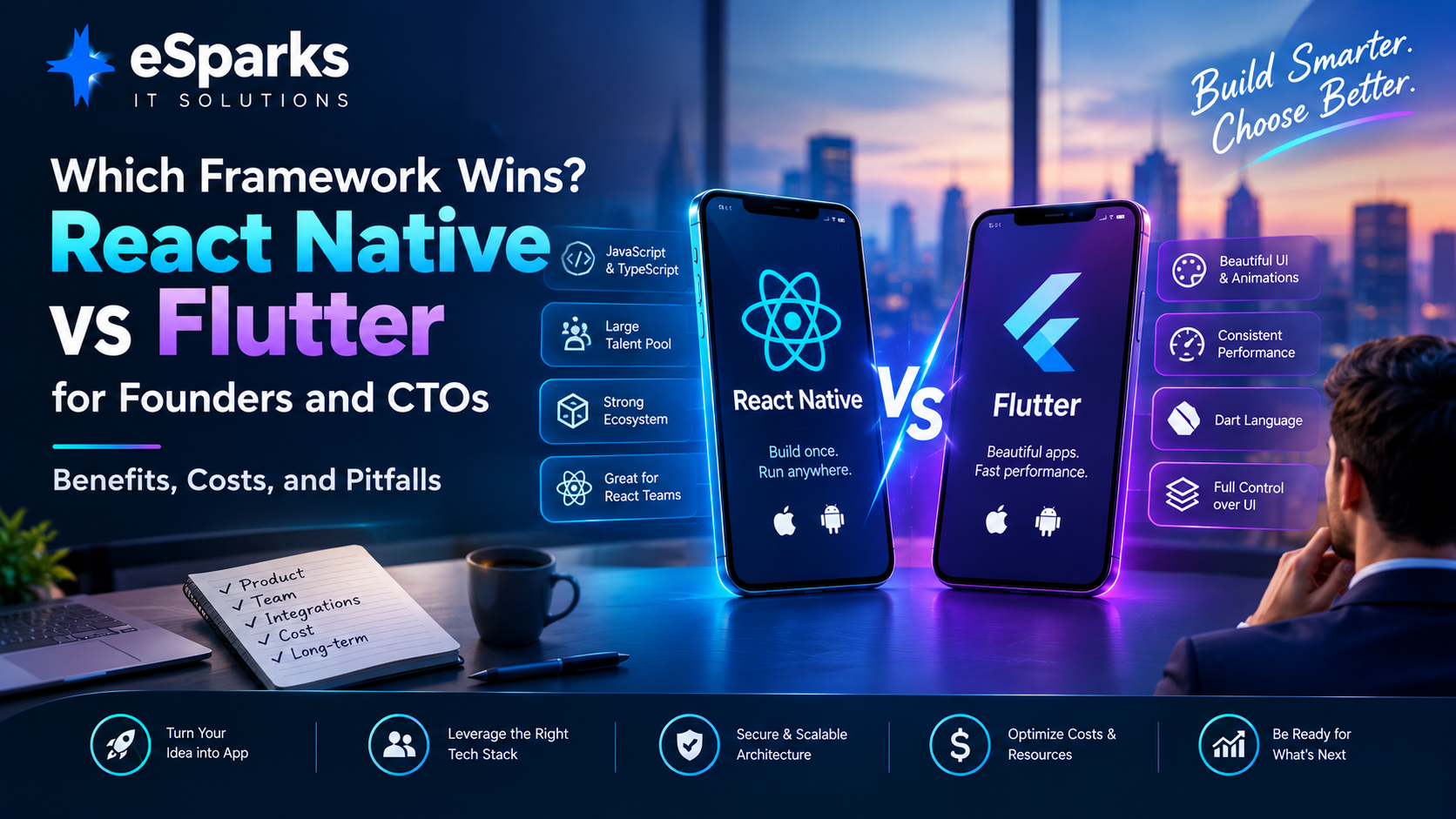
Choosing a mobile app framework is rarely just a developer preference.
For founders and CTOs, the decision affects product development speed, hiring, engineering cost, performance, security, release management, technical debt, and the ability to maintain the application over several years.
Two of the most common cross-platform choices are React Native and Flutter.
Both allow businesses to build mobile applications for iOS and Android from a shared codebase. Both can support production applications. Both can integrate with native platform capabilities. And both can significantly reduce duplicated development compared with building completely separate native applications.
But they solve the problem differently.
React Native is closely aligned with the JavaScript/TypeScript and React ecosystem and can be particularly attractive to organisations that already have React expertise.
Flutter uses Dart and its own rendering approach, making it particularly attractive for products where visual consistency, custom interactions, animation, and design control are major priorities.
So, which framework wins?
The practical answer is:
The framework that best fits your product, team, integrations, quality requirements, and two-to-three-year roadmap wins for your organisation.
This guide explains how founders and CTOs can make that decision without relying on framework popularity or benchmark debates.
Key Takeaways
React Native is often a strong fit for organisations already invested in React, JavaScript, or TypeScript.
Flutter can be attractive for highly branded applications requiring consistent rendering and custom interactions.
Neither framework is universally cheaper.
Cross-platform development does not eliminate native development completely.
Native integrations, SDK maturity, testing, security, and maintenance can have a larger impact on cost than the framework itself.
Hiring availability should be considered before selecting a technology.
Performance should be evaluated using the actual product's risky workflows rather than generic benchmark videos.
A proof of concept can reveal integration and performance problems before a major investment.
The framework decision should consider at least the next two to three years of product development and maintenance.
Why This Decision Matters to Founders and CTOs
A framework can look excellent during an MVP.
The application launches.
The team moves quickly.
The first customers arrive.
Then the product grows.
Suddenly the application needs:
Push notifications
Payments
Biometrics
Maps
Offline support
Analytics
Deep linking
Camera functionality
Bluetooth
Enterprise authentication
Real-time communication
Advanced security
Third-party SDKs
At this stage, the original framework decision becomes much more important.
A technology that worked well for a prototype may become difficult if:
Required plugins are poorly maintained
Native integrations become complicated
Engineers are difficult to hire
Upgrades repeatedly break dependencies
Testing becomes expensive
Release management becomes complicated
The most expensive framework mistake is therefore not necessarily choosing a "bad" framework.
It is choosing a framework that does not match the organisation building and maintaining the product.
React Native vs Flutter at a Glance
| Factor | React Native | Flutter |
|---|---|---|
| Primary language | JavaScript / TypeScript | Dart |
| UI approach | Native platform components with React | Flutter's rendering system |
| Existing React ecosystem | Strong fit | Separate ecosystem |
| Web-team alignment | Strong | Different skill set |
| UI consistency | High | Very high control |
| Custom animation | Strong | Strong |
| Hiring | Broad JS/React talent pool | Dart/Flutter-specific talent |
| Native integrations | Supported | Supported |
| Cross-platform code sharing | High | High |
| Design control | High | Very high |
| Web roadmap | Natural fit with React teams | Requires careful evaluation |
| Native fallback | Available | Available through platform integrations |
| Maintenance | Depends heavily on architecture/dependencies | Depends heavily on architecture/dependencies |
The table should not be interpreted as a universal ranking. The actual outcome depends on the product, engineering organisation, integrations, and roadmap.
What Is React Native?
React Native is a cross-platform mobile development framework based around the React ecosystem.
Developers can use:
JavaScript
TypeScript
React
React Native components
Native modules
Platform-specific code
A React Native team may already have experience with React web development, which can reduce the learning and coordination required when expanding into mobile.
A typical stack could include:
TypeScript
React Native
Expo or bare React Native
Redux Toolkit
Zustand
React Query
Native Modules
Jest/testing tools
GitHub Actions
Bitrise
Codemagic
Azure DevOps
The exact stack depends on the application.
What Is Flutter?
Flutter is Google's cross-platform UI framework using the Dart programming language.
Flutter provides its own widget system and rendering approach, allowing teams to maintain significant control over how the interface looks and behaves across platforms.
Typical Flutter technologies include:
Dart
Flutter
Riverpod
Bloc
Dio
GoRouter
Firebase
Platform channels
Flutter can be particularly attractive for applications where:
Branding is important
UI consistency is critical
Custom animations are common
The product uses highly customised components
The team wants significant control over rendering behaviour
The trade-off is that organisations need to establish Flutter/Dart expertise rather than relying directly on an existing React/JavaScript team.
React Native vs Flutter: The Architectural Difference
The fundamental difference is how the two frameworks approach the user interface.
React Native uses JavaScript or TypeScript with a model that integrates with native platform components.
Flutter uses Dart and controls more of the rendering pipeline through its own framework.
This difference affects:
UI consistency
Native behaviour
Custom rendering
Development patterns
Debugging
Platform-specific work
Team skills
Neither approach is automatically superior.
The important question is:
Which approach better matches the product you are building?
React Native: Where It Can Make Business Sense
React Native can be especially attractive when an organisation already has:
React developers
TypeScript expertise
JavaScript infrastructure
React web applications
Existing React component patterns
Front-end testing practices
A company with a strong React web team may be able to create a mobile team without completely changing its engineering culture.
For startups, this can reduce:
Hiring complexity
Training requirements
Knowledge fragmentation
Coordination between web and mobile teams
Flutter: Where It Can Make Business Sense
Flutter can make sense when the application places strong emphasis on:
Visual consistency
Custom interfaces
Animation
Branded interactions
Pixel-level design control
Shared widget architecture
For example, a consumer-facing application with a highly distinctive interface may benefit from having greater control over rendering rather than relying heavily on platform-specific UI differences.
Flutter can also provide a coherent widget-based development model across the application.
Hiring and Talent Availability
Technology decisions are also hiring decisions.
This is one of the areas founders often underestimate.
Choosing a framework means choosing a future talent pipeline.
React Native
React Native benefits from the broader JavaScript and React ecosystem.
Potential advantages include access to developers with backgrounds in:
JavaScript
TypeScript
React
Front-end development
Node.js
An organisation may therefore be able to transition existing React engineers toward mobile development more easily.
Flutter
Flutter requires Dart expertise.
While the Flutter ecosystem has experienced significant adoption, the available talent pool can differ by region.
A CTO should therefore investigate:
Local Flutter availability
Remote hiring options
Contractor availability
Salary expectations
Senior-level talent
Developer retention
Internal training requirements
The question should not be:
"Which framework has more developers?"
Instead ask:
"Can we reliably hire and retain the people we need for this product?"
Existing Team Matters More Than Framework Popularity
Imagine two companies.
Company A
The engineering team already uses:
React
TypeScript
React Query
Jest
Node.js
For this organisation, React Native may fit naturally into the existing engineering ecosystem.
Company B
The company is creating a design-led consumer application and is building a dedicated mobile team from scratch.
The product depends heavily on:
Custom animations
Highly branded interfaces
Consistent visual behaviour
Flutter may fit that operating model well.
The framework decision changes because the organisations are different.
Cost: React Native vs Flutter
One of the most common questions is:
Which is cheaper?
There is no universal answer.
The framework itself is only one part of total development cost.
A realistic budget needs to consider:
Development
UI/UX
Backend integration
Testing
Security
Infrastructure
App-store operations
Monitoring
Analytics
Maintenance
Dependency upgrades
Team continuity
The source article makes an important point: for typical business applications, React Native and Flutter can fall into similar broad delivery ranges when handled by experienced teams.
What Actually Drives Mobile App Cost?
The biggest cost drivers are often:
1. Number of Features
A basic application with:
Login
Profile
Forms
Dashboard
is fundamentally different from an application with:
Live video
Payments
Maps
Offline sync
BLE
Advanced analytics
Enterprise authentication
2. Integrations
Every external system adds complexity.
Examples:
Stripe
Adyen
Firebase
Salesforce
SAP
ServiceNow
HubSpot
Twilio
Microsoft Graph
Okta
Auth0
The maturity of each integration matters.
3. Native Requirements
Cross-platform development does not eliminate native development.
Both frameworks may require:
Swift
Objective-C
Kotlin
Java
for specialised capabilities.
4. Testing
Testing requirements increase with:
Number of devices
OS versions
User roles
Offline scenarios
Security requirements
Accessibility requirements
Complex integrations
5. Compliance
Regulated products may require additional:
Security testing
Audit logging
Data controls
Encryption
Consent management
Retention policies
Incident response processes
A Better Way to Think About Total Cost
Instead of asking:
"How much does React Native cost?"
or:
"How much does Flutter cost?"
break the project into three layers.
Layer 1: Application Shell and UI
Includes:
Screens
Navigation
Components
Forms
Design system
User interactions
Layer 2: Integration Layer
Includes:
APIs
Authentication
Payments
Maps
Notifications
Third-party services
Device integrations
Layer 3: Operational Layer
Includes:
CI/CD
Crash monitoring
Analytics
Feature flags
Security
Release management
App-store approvals
Dependency upgrades
Many teams budget heavily for Layer 1 while underestimating Layer 3.
That can create significant long-term costs.
Performance: Which Is Faster?
This question sounds simple but is often misleading.
For most business applications, both React Native and Flutter can deliver a fast and reliable experience when properly engineered.
The more useful question is:
Where are the application's actual performance risks?
They may include:
Startup time
Large lists
Image loading
Memory usage
Animation
Media processing
Offline synchronisation
API latency
Device communication
A framework comparison without testing the actual application can therefore be misleading.
Flutter and UI Performance
Flutter's rendering model can be particularly useful when a product requires:
Custom animations
Branded transitions
Consistent rendering
Complex visual components
Custom interaction patterns
Because Flutter controls more of the rendering pipeline, teams can achieve a high degree of visual consistency across devices.
This can be useful for customer-facing products where visual experience is part of the brand.
React Native Performance
React Native can also perform well in production applications.
Modern React Native includes architectural improvements such as:
JSI
TurboModules
Fabric
New Architecture capabilities
However, framework improvements cannot compensate for poor application architecture.
Performance problems can still appear when teams:
Perform excessive JavaScript work
Handle images inefficiently
Mismanage application state
Use too many abstraction layers
Depend on poorly implemented native packages
Render large lists inefficiently
The framework is only part of the performance equation.
What CTOs Should Actually Benchmark
Instead of watching online benchmark videos, build a proof of concept around the application's most difficult workflow.
For example:
E-commerce
Test:
Product search
Large catalog
Cart updates
Payment
Field service
Test:
GPS
Offline mode
Camera
Background sync
Healthcare
Test:
Secure authentication
Sensitive data
Document capture
Offline handling
Fintech
Test:
Biometrics
Payments
Secure storage
Real-time updates
Enterprise
Test:
SSO
Role-based access
API security
Device compliance
Measure the actual product requirements rather than theoretical benchmark scores.
User Experience Considerations
Performance is not the only part of UX.
Evaluate:
Startup time
Navigation responsiveness
Form performance
Search responsiveness
Accessibility
Keyboard behaviour
Dynamic text
Screen readers
Offline experience
Error recovery
Push notifications
Deep linking
A technically fast application can still deliver a poor user experience if workflows are confusing or unreliable.
Offline-First Applications
Offline functionality can dramatically change the framework evaluation.
Consider an application used by field workers.
The user may:
Open the application without connectivity.
View previously synchronised data.
Capture information.
Take photographs.
Modify records.
Reconnect.
Synchronise changes.
Now the architecture must handle:
Local storage
Synchronisation
Retry logic
Conflict resolution
Data consistency
Authentication expiry
Offline-first development is a significant engineering requirement regardless of framework.
Native Integrations: The Hidden Complexity
Cross-platform does not mean:
"Write everything once and never touch native code."
Real applications can require native integrations for:
Biometrics
Bluetooth
Camera
Push notifications
Background services
Payments
Media
Hardware
Deep linking
Device security
Enterprise SDKs
This means CTOs should evaluate native escape routes before committing to either framework.
Ask:
Can the framework access the required native API?
Is there a maintained plugin?
Can we write native code if necessary?
How difficult is the integration?
Who will maintain it?
Third-Party Package Risk
A package existing in a repository does not mean it is production-ready.
Before adopting an important dependency, review:
Last release
Maintenance activity
Open issues
Documentation
Community support
Current iOS compatibility
Current Android compatibility
Native implementation
License
Security history
Upgrade path
A weak dependency can create more technical debt than the framework itself.
Security: Framework Choice Does Not Create Security
Neither React Native nor Flutter automatically makes an application secure.
Security comes from architecture and implementation.
Important controls can include:
OAuth 2.0
OpenID Connect
Secure token storage
iOS Keychain
Android Keystore
Encrypted local storage
API authorization
Rate limiting
Audit logging
Secure CI/CD secrets
Certificate pinning where appropriate
Root/jailbreak detection where appropriate
Mobile application attestation options
Security should be designed from the beginning rather than added immediately before launch.
Compliance Considerations
For regulated industries, the framework decision should be part of a broader security architecture.
Consider:
Data minimisation
Consent
Encryption
Retention
Access controls
Audit logs
Incident response
Secure storage
Data residency
Industries such as healthcare, finance, insurance, and government may have additional requirements that affect the application architecture.
React Native and Flutter for Enterprise Integrations
Enterprise applications frequently integrate with systems such as:
Microsoft Entra ID
Okta
Auth0
Salesforce
SAP
ServiceNow
Microsoft Graph
Twilio
Stripe
Adyen
Private APIs
The important question is not whether a framework has "an integration."
It is whether the integration is:
Maintained
Secure
Documented
Compatible with current versions
Testable
Supported by the vendor
Suitable for your architecture
Integration maturity should be checked feature by feature.
Web Development Considerations
Your web roadmap can influence the mobile framework decision.
React Native
React Native aligns naturally with organisations already using React.
This can simplify:
Knowledge sharing
Component concepts
State-management patterns
TypeScript adoption
Front-end governance
However, web and mobile should not be assumed to share everything.
The user experience and platform requirements remain different.
Flutter Web
Flutter also supports web development.
However, if the product's web experience is heavily dependent on:
SEO
DOM-centric functionality
Traditional web semantics
Search indexing
Content-heavy pages
the team should evaluate Flutter web carefully against the requirements.
For some applications it can work well.
For others, a conventional web stack may be more appropriate.
React Native vs Flutter for Startups
Startups generally care about:
Speed
Budget
Hiring
Product-market fit
Flexibility
Ability to iterate
React Native can be attractive when the founding or engineering team already understands React and TypeScript.
Flutter can be attractive when the startup's competitive advantage depends heavily on:
Unique visual design
Highly controlled UI
Custom animations
A dedicated mobile engineering team
The startup should choose according to its actual product strategy rather than blindly following market popularity.
React Native vs Flutter for Enterprise
Enterprise organisations may place more emphasis on:
Governance
Security
Hiring
Compliance
Long-term support
Existing technology standards
Integration requirements
If the enterprise already operates a large React/TypeScript organisation, React Native may align naturally with existing engineering practices.
If the enterprise is creating a dedicated mobile product with strict visual requirements, Flutter may fit a different operating model.
The existing enterprise technology landscape matters significantly.
When React Native May Be the Better Fit
React Native can be a strong candidate when:
Your organisation already uses React.
Your team is strong in JavaScript or TypeScript.
You want alignment between web and mobile teams.
Hiring flexibility is important.
Your product uses conventional mobile UI patterns.
You want a fast MVP path.
You expect to use native modules where necessary.
Your roadmap includes strong web integration.
These are fit criteria, not a universal ranking.
When Flutter May Be the Better Fit
Flutter can be a strong candidate when:
Visual consistency is critical.
Your product has a distinctive brand experience.
Custom animations are important.
You need significant control over rendering.
Your team is comfortable adopting Dart.
You plan to build a dedicated mobile team.
A shared widget architecture fits the product.
Again, the decision should be validated against actual product requirements.
When Neither Framework May Be the Right Choice
Sometimes the answer is neither.
Consider Native Development When
The product depends heavily on:
Advanced device features
AR
Specialized hardware
Intensive graphics
Highly platform-specific experiences
Deep operating-system integrations
Native iOS and Android development can sometimes be more efficient when platform-specific functionality dominates the roadmap.
Consider a Web-First Approach When
The application is primarily:
Internal
Form-based
Content-driven
Workflow-oriented
Used through browsers
Light on device-specific functionality
A responsive web application or Progressive Web App may be sufficient.
There is no value in adding mobile application complexity if the business does not require it.
A Seven-Step Decision Framework for CTOs and Founders
Step 1: Define the Product
Describe the product in business terms.
Is it:
Consumer application?
Internal tool?
Field-service application?
Partner portal?
Ecommerce application?
Financial product?
Healthcare application?
The product type affects the framework requirements.
Step 2: Identify the Riskiest Features
Create a list of features that could create technical problems.
Examples:
Offline-first functionality
Live video
Advanced maps
Bluetooth
Camera capture
Biometrics
Payments
SSO
Large data visualisations
Hardware integrations
Regulated identity verification
These features should drive the proof of concept.
Step 3: Audit Your Team
Ask:
What does our engineering team already know?
Do we have React expertise?
Do we have mobile engineers?
Can we hire Flutter developers?
Can we hire React Native developers?
Who will maintain the application after launch?
Existing capability should influence the decision.
Step 4: Audit Integrations
For every critical dependency, verify:
Documentation
Maintenance
Version compatibility
Native support
Security
Licensing
Community/vendor support
Upgrade path
Do not simply check whether a package exists.
Step 5: Build a Proof of Concept
A useful POC should focus on one or two difficult workflows.
For example:
POC A
SSO + biometric authentication + secure API access
POC B
Camera capture + offline storage + background upload
POC C
Large data dashboard + search + pagination
POC D
Payment workflow + push notifications + deep linking
Measure:
Development friction
Performance
Stability
Integration complexity
Testing
Debugging
Developer experience
Step 6: Estimate Total Ownership
Include:
Development
QA
CI/CD
Monitoring
Analytics
Security
App-store management
Dependency upgrades
Bug fixing
OS updates
Team hiring
Support
A framework that looks inexpensive during the MVP can become expensive if maintenance is difficult.
Step 7: Decide for the Next 2–3 Years
Do not choose only for launch.
Ask:
Where will this product be in three years?
Will it have:
More users?
More integrations?
More devices?
Tablet support?
Web support?
Enterprise customers?
More security requirements?
More complex workflows?
Choose a framework that can support that trajectory.
Common Mistakes Founders and CTOs Make
Mistake 1: Choosing Based on Popularity
A popular framework is not automatically the correct framework.
Your team's ability to maintain it matters more.
Mistake 2: Choosing Before Understanding Requirements
Do not start with:
"Let's use React Native."
or:
"Let's use Flutter."
Start with:
"What does the product need to do?"
Mistake 3: Ignoring Native Requirements
Cross-platform applications can still require native development.
Plan for that from the beginning.
Mistake 4: Ignoring Hiring
A framework is a long-term staffing decision.
Mistake 5: Comparing Only Development Speed
Faster initial development does not necessarily mean lower total cost.
Consider:
Testing
Maintenance
Upgrades
Dependencies
Monitoring
Release management
Mistake 6: Ignoring Accessibility
Accessibility should be part of:
Design
Development
Testing
QA
Do not leave it until after launch.
Mistake 7: Underestimating Offline Sync
Offline functionality is one of the more complex mobile engineering requirements.
Plan for:
Conflict resolution
Retry logic
Synchronisation
Authentication expiry
Data consistency
Mistake 8: Trusting Unmaintained Plugins
A package can work today and become a problem after an OS or framework upgrade.
Dependency health matters.
A Practical CTO Evaluation Checklist
Before approving the framework, answer these questions.
Product
What type of application are we building?
Who are the users?
What platforms are required?
What features are business-critical?
Team
What skills already exist?
What skills must be hired?
Can we retain the team?
Architecture
What backend will we use?
What APIs are required?
What native features are needed?
Do we need offline functionality?
Integrations
Which SDKs are required?
Are they actively maintained?
Are native fallbacks available?
Security
How will authentication work?
Where will tokens be stored?
How will sensitive data be protected?
What compliance requirements apply?
Operations
How will releases work?
How will crashes be monitored?
How will dependencies be updated?
How will app-store releases be managed?
Long-Term
What happens if the team doubles?
What happens if we add web?
What happens if we add tablets?
What happens if the application becomes enterprise software?
Final Decision Matrix
Rather than asking which framework is universally better, evaluate the factors that matter to your organisation.
| Requirement | React Native | Flutter |
|---|---|---|
| Existing React team | Strong fit | Requires new ecosystem |
| TypeScript expertise | Strong fit | Not directly applicable |
| Broad JS hiring pool | Strong fit | Different hiring pool |
| Web/React alignment | Strong | Requires separate evaluation |
| Highly custom UI | Strong | Strong fit |
| Pixel-level visual control | High | Very high control |
| Custom animations | Strong | Strong |
| Native integrations | Supported | Supported |
| Existing Flutter team | Requires transition | Strong fit |
| Specialized hardware | Validate case-by-case | Validate case-by-case |
| Offline-first | Supported | Supported |
| Enterprise authentication | Supported | Supported |
| Long-term maintenance | Depends on architecture | Depends on architecture |
The table is a decision aid, not a universal ranking. The source guidance emphasises that team capability, dependency health, integrations, and roadmap should drive the decision.
Frequently Asked Questions
Is React Native or Flutter better for startups?
For startups, React Native can fit well when the founding or engineering team already uses React or needs access to the broader JavaScript ecosystem.
Flutter can fit well when the product depends heavily on distinctive visual design and the team is prepared to build Flutter/Dart expertise.
Which is cheaper: React Native or Flutter?
Neither is universally cheaper.
The total cost depends on:
Product complexity
Integrations
Native requirements
Testing
Package quality
Team skills
Maintenance
Compliance
Do React Native and Flutter require native development?
Yes, real-world applications can still require native iOS or Android development.
Native code may be needed for:
Hardware
Specialized SDKs
Biometrics
Performance-sensitive functionality
Advanced platform integrations
Device permissions
Which has better performance?
Both can deliver strong performance when properly architected.
Instead of relying on generic benchmark comparisons, test the actual workflows that create the most risk for your product.
Which is easier to hire for?
React Native can benefit from the broader JavaScript and React ecosystem.
Flutter requires Dart/Flutter expertise, and talent availability varies by market.
The right choice depends on your hiring geography and long-term staffing strategy.
Which is better for UI design?
Flutter can be particularly attractive when a product requires highly controlled rendering, custom animations, and consistent visual behaviour.
React Native can also support sophisticated interfaces, particularly when the product aligns with conventional mobile UI patterns.
Which is better for long-term maintenance?
Neither framework automatically guarantees lower maintenance costs.
Long-term maintainability depends on:
Architecture
Code quality
Dependency choices
Test coverage
Upgrade discipline
Monitoring
Documentation
Team continuity
A well-managed application in either framework can remain maintainable.
Can React Native and Flutter share code with web applications?
React Native can align particularly well with organisations already using React for web.
Flutter also supports web, but organisations with SEO-heavy or DOM-centric web requirements should evaluate that use case carefully before assuming one framework should power every experience.
Conclusion
React Native vs Flutter is not simply a question of which framework has better technology.
For founders and CTOs, it is a question of business fit.
React Native can be a strong option for organisations with an existing React/TypeScript ecosystem, broad JavaScript hiring requirements, and a desire to align web and mobile engineering.
Flutter can be a strong option for products where visual consistency, custom interactions, animation, and rendering control are central to the user experience.
Both can support serious production applications.
Both can require native development.
Both can become expensive if poorly architected.
And both can be highly effective when matched with the right product and engineering organisation.
The best decision process is therefore:
Define the product → identify risky features → audit the team → validate integrations → build a proof of concept → estimate total ownership → choose for the next 2–3 years.
Do that, and the framework decision becomes much less about technology hype and much more about building a sustainable product.
Don't choose the framework that looks best on paper. Choose the one your organisation can successfully build, operate, hire for, and evolve.
Build Your Mobile Product With eSparks IT Solutions
Planning a cross-platform mobile application?
eSparks IT Solutions works with businesses across the USA, UK, Canada, Australia, and the GCC on mobile application development, UI/UX, cloud, APIs, security, and digital transformation.
A strong mobile strategy starts with understanding:
Product requirements
Target users
Platform needs
Native integrations
Security requirements
Existing engineering skills
Long-term maintenance requirements
Whether your roadmap points toward React Native, Flutter, native development, or a web-first approach, the architecture should support the business—not dictate it.
Build smarter. Launch confidently. Scale sustainably.
Work with eSparks IT Solutions
Planning a project around this? We help businesses across the USA, UK, Canada, Australia and the GCC ship it. See how we work with clients in the USA. Explore our Mobile Development services and portfolio, estimate your project cost, or book a free call.